Tutorials · 9 min read
How to Create a Birthday Video With Photos and Music
A birthday video made from real photos and a song the person loves is one of the most replayed gifts you can send. It doesn't take editing skills. It takes a plan: a clear story, the right photos in the right order, music that fits and a format that suits where you'll share it.
This guide covers the whole process, whichever app you use, and then shows exactly what you can do with WishCraft, including the limits, so you don't waste time on something it can't do.
Step 1: Decide what kind of video you are making
| Type | Length | Best for |
|---|---|---|
| Quick status video | 5 to 15 seconds | WhatsApp status, Instagram story, a fast greeting |
| Photo slideshow with music | 30 to 90 seconds | A personal surprise for a partner, parent or best friend |
| Friends-and-family montage | 1 to 3 minutes | Milestone birthdays, with short clips from several people |
Choose before you open any app. A 15-second status video and a 90-second slideshow need very different amounts of material.
Step 2: Collect and choose the photos
Pick six to ten photos for a slideshow, fewer for a status video. Prefer sharp, well-lit pictures with faces, mix close-ups with wider scenes and avoid near-duplicates. Our guide to choosing photos for a memory story has a full checklist.
Step 3: Put the photos in a story order
- Start with a hook: a photo that makes them smile straight away.
- Build the middle: chronological order is the safest, from the oldest memory to the newest.
- End strong: finish on the happiest or most recent photo, so the last second lands.
Step 4: Choose the music
- Pick a song with meaning for the two of you, not just a popular one.
- Use the chorus or the most emotional 30 to 60 seconds rather than the whole track.
- Make sure the pace fits: slow songs suit longer photo durations, upbeat songs suit faster cuts.
- Use only music you have the right to share. Platforms may mute or remove videos with copyrighted tracks.
Step 5: Set the timing
Five seconds per photo is comfortable for most slideshows. Use three seconds for upbeat music and many photos, and seven to ten when you want people to linger. Keep the total under about 90 seconds unless it's a milestone tribute.
Step 6: Add a message and preview
A short written message, two or three sentences, gives the video a heart. Then watch the whole thing on the device the recipient will use, with sound on. Check names, spelling and where the music starts and ends.
What you can do with WishCraft
WishCraft offers two routes, and it's worth being clear about which is which:
Photo slideshow with music (a link)
In the birthday surprise creator you add up to ten photos, four transition styles, 3 to 10 seconds per photo and your own song with start and end points. It plays from a private link, with a cake ceremony and your message. It is not a downloadable MP4.
Downloadable video (about 6 seconds)
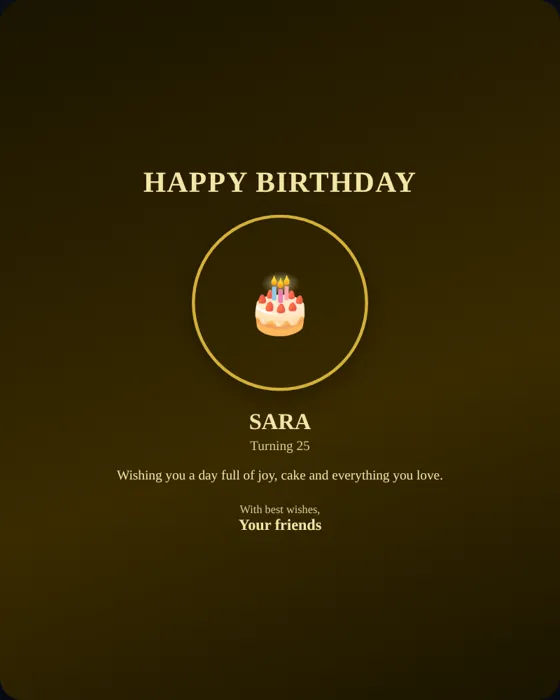
In the poster generator you can export an animated poster as a short looping video (MP4 where your browser supports it, otherwise WebM). It has no sound. See the birthday video maker page.
If you need a full-length downloadable video
If you want a long MP4 file with music baked in, you'll need a video editor on your phone or computer. Use the planning steps above, then export at 1080p and share it directly. If you'd rather skip the editing, the WishCraft slideshow link gives you music, photos, transitions and a message without any export step.
Sharing the finished video
- For WhatsApp, a video under about 16 MB sends without heavy compression. A link has no size problem at all.
- For stories and status, use a vertical format.
- Send it at a time that suits the recipient's time zone. See how to share birthday wishes on WhatsApp.
Common mistakes
- Too many photos, so the story drags.
- Music that drowns out the mood, or starts at a quiet intro.
- Low-resolution photos forwarded through chat apps.
- Not previewing with sound on.
Frequently asked questions
Can I make a birthday video with photos and music for free?
Yes. In WishCraft you can build a free photo slideshow with your own song and share it as a link, without signing up.
How long should a birthday video be?
Between 30 and 90 seconds works for most slideshows. Status videos should stay under 15 seconds.
Can WishCraft export my slideshow as an MP4?
No. The slideshow plays from a link. WishCraft can export a short, silent animated poster as a video.
Ready to build one? Create a birthday slideshow with music or export a short poster video.