Tutorials · 8 min read
Best Ways to Create an Animated Birthday GIF
A birthday GIF is a tiny looping animation that plays automatically in almost any chat app. It's light, funny and instantly understood, which is why people keep sending them. The challenge is making one that looks good and still loads fast.
Below are four ways to make an animated birthday GIF, when each one makes sense and the technical details that decide whether it looks crisp or messy.
Option 1: Turn a poster into a GIF in your browser
The quickest way to get a personal GIF is to design a poster with the person's name, photo and message, then export it with an animated effect. In WishCraft's poster generator you choose a template, add a photo and name, pick an effect such as balloons, confetti, sparkles or hearts, preview it and press Download GIF. The GIF is 480 pixels wide, loops continuously and is created in your browser. Details are on the birthday GIF maker page.
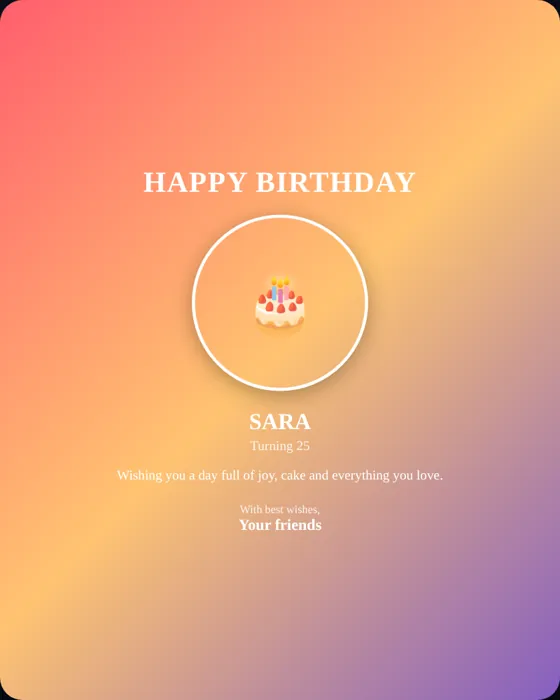
Best for: a personal greeting with a name and photo that you want in under a minute.
Option 2: Use a ready-made GIF library
Chat apps and keyboards have built-in GIF search. Searching for "happy birthday" returns thousands of options. This is the fastest route, but the GIFs are generic and aren't personal. Check that the animation matches the tone: a cartoon cake for a friend, something more restrained for a colleague.
Best for: a fast, informal reaction when personalization isn't needed.
Option 3: Make a GIF from a short video clip
If you have a few seconds of video, such as a birthday song, a group wave or a candle blow, many phones and free online editors can convert it to a GIF. Trim to three to six seconds, crop tightly on the main subject and reduce the frame rate to keep the file small.
Best for: real moments that no template can recreate.
Option 4: Build a GIF from several images
You can also make a slideshow-style GIF from three to five photos, with captions on each one. This needs a general GIF editor on a computer or phone. Keep text short and large, because small captions disappear when the GIF is shown at chat-bubble size.
Best for: a mini story, such as "then, now and next year".
Comparison
| Method | Personal? | Effort | Notes |
|---|---|---|---|
| Poster to GIF (WishCraft) | Name, photo and message | Low | 480 px wide, loops, no sound |
| GIF library | No | Very low | Generic, good for quick wishes |
| Video to GIF | Yes, real footage | Medium | Needs a clip and trimming |
| Multi-image GIF | Yes | Medium to high | Needs a GIF editor |
Technical tips for a good birthday GIF
- Keep it short. Three to six seconds is plenty. Long GIFs become large files.
- Keep text large. A GIF is usually seen in a small chat bubble, so use one short line.
- Use strong contrast. Light text on a dark background, or the reverse, stays readable at small sizes.
- Limit motion. One effect looks polished; several look noisy.
- Mind the file size. A GIF under a few megabytes sends quickly on mobile data.
- Remember: GIFs have no sound. If you want music, send a link or a video.
Sharing on WhatsApp
WhatsApp often converts GIFs into short looping videos. They still loop and play automatically, so this is normal. Send the GIF as a media attachment rather than a document. For timing and etiquette, see how to share birthday wishes on WhatsApp.
Frequently asked questions
How do I make a birthday GIF with a name?
Design a poster with the name and photo in WishCraft's poster generator, choose an effect, then press Download GIF.
Can a GIF have music?
No. GIFs cannot contain sound. Use a video or an animated wish link when you want music.
Why is my GIF blurry?
GIFs are limited to 256 colors and are usually small. Use high-contrast designs and large text, and avoid photos with subtle gradients.
Want to try it? Make a birthday GIF with a name and photo, or browse templates first.